The Analogue3D Is a Retro Gamer’s Dream
Brace yourself, millennials—the iconic Nintendo 64 is set to celebrate its 30th anniversary in 2026. This monumental milestone serves as a stark reminder of the relentless march of time, transforming the beloved console you once huddled around into an artifact old enough to share in the existential dread and financial burdens often associated with adulthood. If this unsettling thought makes you yearn for a simpler era, a time when life felt less complicated and the biggest concern was mastering a new N64 game, you’re not alone. Unfortunately, revisiting those cherished N64 memories on modern hardware has been a surprisingly complex endeavor in recent years.
Nintendo itself offers a limited selection of N64 titles through its Nintendo Switch Online service, compatible with the Nintendo Switch or the upcoming Switch 2. However, this is a curated, often restrictive collection, accessible only to subscribers. For dedicated retro enthusiasts, this curated library often falls short of the vast, diverse catalog the N64 boasted. Emulation, while a popular alternative for many older systems, presents its own set of challenges. Beyond the often-questionable legality surrounding ROMs, the Nintendo 64 has historically been a notoriously difficult platform for emulators to replicate accurately. This difficulty stems partly from the console’s unique architecture and the way many developers leveraged custom microcode to maximize performance on the original hardware, leading to common issues like input lag, audio desynchronization, and visual glitches when not handled perfectly. Moreover, even if you still possess a vintage N64 console and a treasure trove of original game cartridges, their design predates modern display technology, making them ill-suited for contemporary TVs in terms of connectivity (requiring adapters for HDMI) and resolution, often resulting in blurry, pixelated visuals.
This is precisely where the Analogue3D steps in, emerging as the latest console from the innovative minds behind the critically acclaimed Analogue Pocket. Like its portable predecessor, the Analogue3D is a marvel of engineering, utilizing Field-Programmable Gate Array (FPGA) technology. Unlike software-based emulation, which attempts to mimic the original hardware through code, FPGA physically reconfigures its internal circuitry to perfectly replicate the original console at a hardware level. This means you’re not playing a simulated version of the game; you’re playing the authentic game code as if it were running on an actual N64, eliminating the inherent inaccuracies and compromises often found in emulation.
But the Analogue3D goes far beyond being a mere third-party remake. It elevates the N64 gaming experience to unprecedented levels. Thanks to a baked-in virtualized Expansion Pak, games that originally required this physical add-on (like Donkey Kong 64) now run seamlessly without any extra hardware. Furthermore, the Analogue3D boasts the ability to overclock the original hardware’s performance, leading to smoother frame rates and a more fluid gameplay experience, particularly noticeable in demanding titles or during four-player split-screen sessions. The console beautifully presents these classic games with a host of customizable display options, culminating in a stunning 4K output that brings clarity and vibrancy to visuals that were once confined to fuzzy CRT screens.
Adding to its appeal is universal support for N64 cartridges and accessories from anywhere in the world. This feature effectively renders the frustrating region lockouts of the 1990s obsolete, allowing players to experience games from different territories without modification or compatibility issues. For many retro gaming enthusiasts, the Analogue3D might just be the most exciting "new" console of 2025, offering a perfect blend of nostalgia and modern technological refinement.
Making the Old New Again
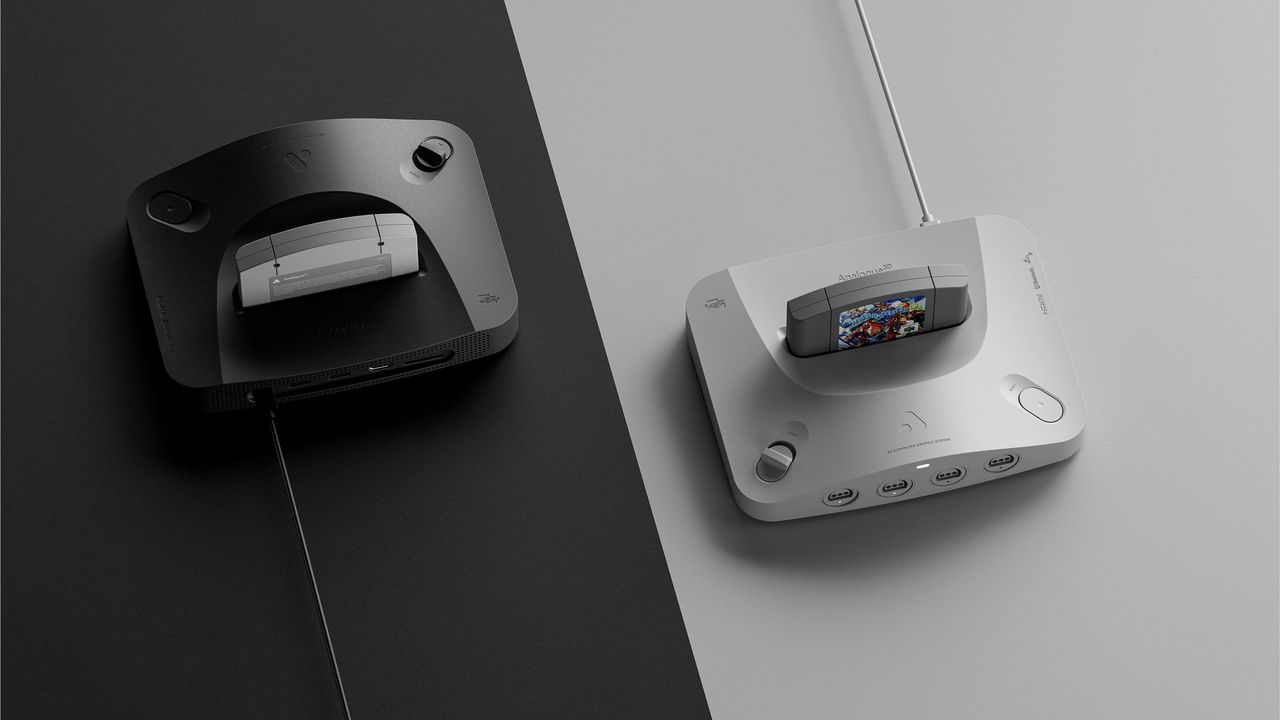
At first glance, one might easily mistake the Analogue3D for an original Nintendo 64, especially the sleek black model (though it’s also available in white). The new console masterfully shares a similar silhouette and the iconic arching front profile of Nintendo’s classic. It borrows the sweeping curves and the distinctive sand dune-like recesses surrounding the cartridge slot, a design motif cleverly echoed around its Power and Reset buttons. However, closer inspection reveals thoughtful refinements. The Analogue3D sits noticeably lower than its inspiration, shedding the bulbous front "feet" of the N64. Instead, it boasts elegant, sharp edges, giving it a thoroughly modern and sophisticated look. Overall, it’s a more compact and lighter device than its predecessor, measuring 230 x 180 x 49 mm and weighing 837 grams, a significant reduction from the N64’s 260 x 190 x 73 mm and 1100 grams.
The Analogue3D also departs from the original’s contrasting light gray plastic, which adorned the N64’s four front-facing controller ports and cartridge slot gates. It opts instead for a unified, entirely monochrome aesthetic, enhancing its minimalist appeal. Nintendo’s vibrant, colorful logo is replaced by a single, subtle LED, which ingeniously serves as both a power indicator and a Bluetooth pairing button for wireless controllers. This design choice contributes to a gorgeously understated and modern piece of hardware.
The console comes thoughtfully packaged with a 1.5-meter HDMI cable and a USB-C-to-C power cable, though it only includes a US/Japan-style two-prong plug. Reviewers in other territories, such as the UK, will need to source a local USB-C plug or a travel adapter, a minor inconvenience for an otherwise premium product. A 16-GB full-sized SD card is conveniently pre-inserted at the rear, primarily for firmware updates. In a neat, detail-oriented touch, Analogue also includes a pair of cartridge contact cleaners, designed to gently polish the connectors on older games that may have accumulated dust over decades, ensuring reliable operation.
Upon booting up, you are greeted by the Analogue3D’s custom operating system, 3Dos. Much like the console itself, the OS adopts a strikingly minimalist approach, characterized by precise white pixel text against a stark black background. While the 3Dos system is still "cooking" – with more features planned for future updates – it already shows immense promise as a game archivist’s dream. It automatically builds a library of every cartridge you play, meticulously displaying information such as the developer, publisher, the region version of the inserted cart, the number of players it supports, and more. By default, there isn’t any cover art for the cart library, but users can manually add icons, and the system will match the image to the corresponding cartridge. The review unit, for instance, came with some pre-loaded images to showcase this feature, and a vibrant community-led image library is expected to emerge almost immediately upon launch.
Looking Good for Their Age
I initially harbored some skepticism about how well the Analogue3D would genuinely perform when tasked with playing decades-old games, but that cynicism was instantly shattered. Over the course of more than a week, I subjected it to a rigorous test, trying over a dozen games, a mix of both US and UK region cartridges, and it accurately identified and ran every single one without a hitch.
The only instances where I encountered minor issues were with UK copies of 007: The World is Not Enough and Star Wars: Rogue Squadron, which initially refused to launch. In such cases, the Analogue3D presents a black screen, which can be a bit disorienting as it leaves you wondering if the system has stalled, crashed, or is simply taking a long time to load. However, a quick pass with the included cartridge cleaners and the age-old, trusty trick of blowing gently on the cartridge contacts (a practice long ingrained in retro gamers) promptly resolved the problem, allowing the games to boot flawlessly.
The complete absence of any region lock is a particular delight for enthusiasts. For example, the PAL release of Wave Race 64 notoriously suffered from slowdown issues due to the 50Hz refresh rate. With the Analogue3D, I was able to play the NTSC version without any issues, experiencing the game as it was originally intended. This also allowed me to delve thoroughly into Ogre Battle 64, a highly regarded title that never saw a UK release. It’s also a pleasant, if slightly surreal, experience to play Star Fox 64, rather than the re-named Lylat Wars version I grew up with in the UK.
In terms of performance, the Analogue3D delivers another resounding win. Games look absolutely fantastic and run incredibly smoothly. Titles like Donkey Kong 64, which originally mandated the physical Expansion Pak, now work perfectly straight out of the box, thanks to the Analogue3D’s virtualized equivalent. The console’s automatically enabled overclocking feature can boost performance even further. This feature can be manually set to Enhanced, Enhanced+, or Unleashed modes. I can confidently say I have never experienced a four-player race of F-Zero X running as flawlessly as it does on this system. For purists who crave absolute authenticity, there’s also an option to force the system to run games exactly as the original N64 hardware did, offering a true 1:1 experience.
The system also packs in a slightly daunting, yet incredibly comprehensive, array of display modes, allowing users to precisely tailor how they want their games to look. Modes such as BVM (Broadcast Video Monitor), PVM (Professional Video Monitor), CRT, and Scanlines all offer nuanced ways to meticulously recreate the distinct visual characteristics of the original N64 output on a traditional cathode ray tube (CRT) television. There’s also an option for a "Clean" display that entirely removes scanlines, but this often feels more like a curiosity than a viable option for extended play; games from this era simply weren’t designed to be viewed "naked" without the visual softening and blending provided by CRT scanlines.
The degree of visual customization here borders on the ridiculous, but in the best possible way. The CRT-replicating modes, for instance, allow you to tinker with intricate visual elements that most non-specialists may never have even heard of, such as horizontal and vertical beam convergences and edge hardness. The "Clean" mode offers five different image-polishing algorithms to experiment with. While a built-in explainer detailing what some of these highly technical features actually do would be a welcome addition, anyone who desires precise control over their visual output will find themselves exceptionally well-served.
Across all modes, there are three "Image Size" options (Original, Integer, and Integer+, which determine the actual size of the output image) and three for "Image Fit." These options adjust the scale or aspect ratio, with choices including Original, Stretch (a forced widescreen), and Cinema Zoom, which attempts to fill your 16:9 TV screen. The Cinema Zoom option generally produced the worst results, cropping off significant portions of the edges on every game I tested. As with film, preserving the original aspect ratio in games is crucial for maintaining the intended artistic vision and gameplay experience—it’s a characteristic worth embracing.
For the majority of games, I found myself settling on the PVM display mode, with Integer+ for the largest possible image size, and crucially, the original aspect ratio. The beauty of the Analogue3D is that you can tinker with these settings in-game to see what works best for you, and the system remembers exactly how you’ve set up each individual cartridge between play sessions.
The 3Dos also provides the ability to tweak hardware settings before launching a game. This allows you to disable the virtual Expansion Pak (a useful feature, as certain games, like Space Station Silicon Valley, were known to have compatibility issues with the physical Expansion Pak), or to toggle 32-bit color and anti-aliasing on or off. Again, while these might be features beyond the needs of a casual player simply looking to revisit their old N64 collection, they are incredibly welcome additions for those who appreciate fine-grained control and a truly authentic experience.
It’s crucial to understand that the Analogue3D is not magically remastering these games. What you are getting is an output of up to 4K60 quality with no blurring or distortion, but the games will still inherently look as they did originally—just presented in a way that is perfectly palatable and crisp on a modern high-definition display.
Taking Control
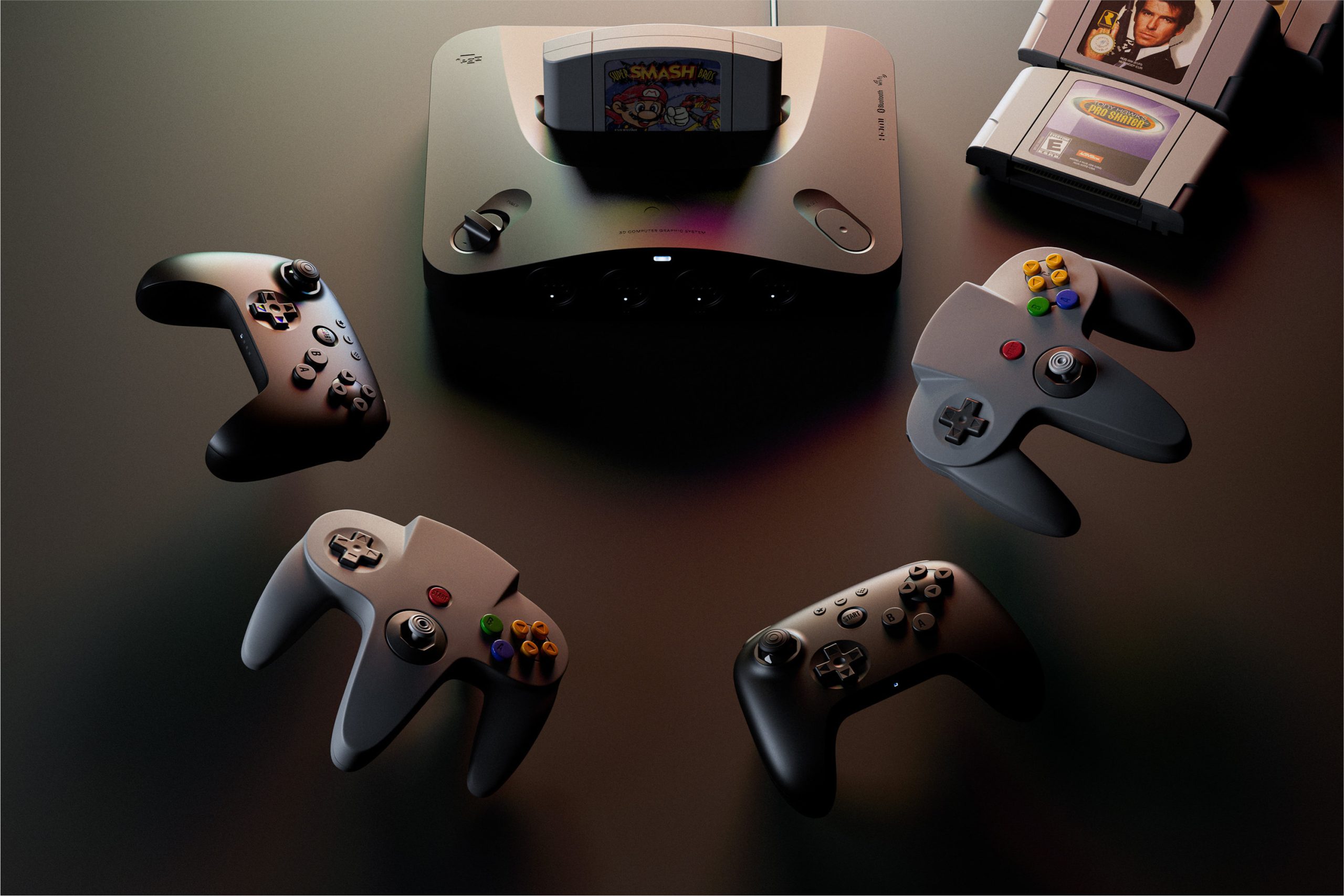
When it comes to how to play those timeless classics on the Analogue3D, gamers are truly spoiled for choice. The console is chiefly designed to work seamlessly with the 8BitDo N64 Controller, a remarkable peripheral that reimagines the N64’s original, distinctive trident-shaped pad into a modern, wireless grip. This updated controller boasts a state-of-the-art Hall effect thumbstick, which offers superior precision and longevity compared to traditional analog sticks, and includes built-in haptics for immersive feedback. In short, it’s a fantastic, thoroughly modern update of that 30-year-old design. Unfortunately, the Analogue3D does not come bundled with this, or any, controller—they must be purchased separately.
Some players may already be familiar with the new 8BitDo pad. Due to unforeseen delays in the Analogue3D’s planned summer 2025 launch, the 8BitDo controller was released first. Given its compatibility with the Nintendo Switch or Switch 2, it could already be used with the N64 catalog available there. However, pairing it with Nintendo’s consoles can be fiddly, often requiring re-connection each time you want to use it. With the Analogue3D, the experience is vastly superior; it not only pairs quickly but stays persistently paired, and can even wake the Analogue3D from sleep with a long-press of its power button—a design choice that explains why the console’s power switch is a slide mechanism rather than a hard on/off toggle.
Alternatively, two USB-A ports located at the rear of the console allow you to plug in other third-party controllers, or conveniently charge any wireless pads you connect. And for the ultimate touch of nostalgia, if you still possess any original wired N64 controllers, the Analogue3D fully supports them. Simply plug them into the perfectly recreated physical ports at the front of the console. Best of all, you can mix and match controller types, connecting up to four pads of any supported variety to faithfully recreate that cherished old-school local four-player vibe. While actually finding four friends whose schedules align to play video games together in the same room in 2025 might be the toughest challenge, I successfully strong-armed some friends into exhilarating rounds of GoldenEye 007 and F-Zero X using a combination of three 8BitDo pads and one original N64 pad, and everything worked absolutely perfectly.
Even though Nintendo’s original three-pronged pad has often been criticized for its unusual ergonomics, it makes a compelling case for its continued use here, primarily because it allows you to utilize original N64 accessories on the Analogue3D. The traditional N64 pad features a built-in expansion port, originally designed to house the Controller Pak (the memory card for save data), the Rumble Pak (which introduced rudimentary haptic feedback), or the Transfer Pak (allowing Game Boy cartridges to connect with N64 games). Plug any of these into an original N64 pad, and games on the Analogue3D will recognize them as normal. This is perfect if you’re aiming for a truly authentic ’90s gaming experience. While the Controller and Rumble Paks are virtualized if you’re not using the real thing (pressing the minus button on an 8BitDo controller lets you swap between which one is active), you will need to dig up an authentic Transfer Pak if you fancy combining Pokémon Red with Pokémon Stadium.
This is where the Analogue3D truly gets exciting for retro obscurists, because between the physical controller ports and the comprehensive support for accessories connected through original controllers, it should open the door to the many weird and wonderful peripherals Nintendo experimented with during the N64 era. The Voice Recognition Unit is perhaps the most likely accessory Western players might encounter—a microphone bundled with the voice-controlled virtual pet game Hey You, Pikachu!, released in the US. But one could even, technically, use the Japan-only Bio Sensor for Tetris 64, which ingeniously made the game harder the higher your heart rate rose. I use "should" and "technically" for such curiosities as I (sadly?) don’t have anything like the colossal controller array used for the train simulator Densha de Go! 64 or the Tsuricon 64 fishing rod used exclusively for Shigesato Itoi’s No. 1 Bass Fishing readily at hand to test. However, Analogue explicitly cites even these rarities as being compatible, hinting at an incredibly broad level of hardware support.
About the only original add-on device that is specifically not compatible with Analogue3D is the 64DD, a Japanese expansion unit that only saw ten games released before its discontinuation. Curiously though, Analogue states that the N64 Mouse does work with Analogue3D, despite the device primarily releasing for the 64DD, suggesting that perhaps some truly wild plans for future compatibility are afoot down the line.
Still Cooking
While the Analogue3D has handled everything I’ve thrown at it admirably—playing every cartridge flawlessly, without slowdown or image issues, and running smoothly whether playing solo or with four players—there is one area that currently feels incomplete: the 3Dos system software.
Mockups prominently displayed on the official Analogue website show a tantalizing glimpse of what’s planned for the OS: virtual save states, the ability to take screenshots, more detailed library sorting options, and even a system clock. However, none of these features are currently available. Other functionalities, such as the "date added" and "total play time" fields within the library view, are present but remain non-functional.
Also notably absent is any online connectivity. The console physically supports dual-band WiFi, but it simply doesn’t utilize it yet, meaning the 3Dos doesn’t provide any option to set up a network connection. Currently, system updates require a manual process of installing them from a computer onto the SD card. That said, there’s an unexpected sense of liberation in being able to turn on a brand new tech device and not have to immediately set up a broadband connection and download day-one patches. It’s a refreshing return to a simpler era of plug-and-play.
Does this technically mean it’s launching with advertised features missing? I mean, yes, but know that I’m saying that with the most labored, reluctant tone possible. The crucial, central offering of the Analogue3D—to play any N64 game, flawlessly, on a modern screen—is entirely intact and delivers on its promise spectacularly. You turn on the Analogue3D, slot a cartridge in, and it just works. In 2025, practically nothing "just works" anymore. That in itself is pretty magical.
As it stands, the Analogue3D magnificently revives one of the greatest eras in gaming for modern screens. When system updates inevitably arrive, hopefully bringing those planned extra features, they will merely be bolstering what is already an incredible retro gaming experience—an N64 that, in many ways, is even better than the original.